WebAgent for Dynamics 365
Prerequisites
Licensing prerequisites
To use the embedded WebAgent, you need:
- A valid WebAgent license.
- An entitlement to embed WebAgent in your Customer Relationship Management, or CRM, is (usually) a software-based, data management method to deal with interactions with customers and potential customers. application. This may be included in your subscription or provided through PUL20, WebAgent add-on: CRM Embedded.
Contact your AnywhereNow representative if you are unsure whether your subscription includes CRM embedding.
Introduction
Dialogue Cloud WebAgent turns your Microsoft Dynamics 365 into a powerful tool for contact center agents. Nested inside the interface, the WebAgent provides users with cloud-based omni-channel contact center functionality without having to move between applications. Agents can receive and send calls, chats, and emails all from within their Dynamics 365 client.
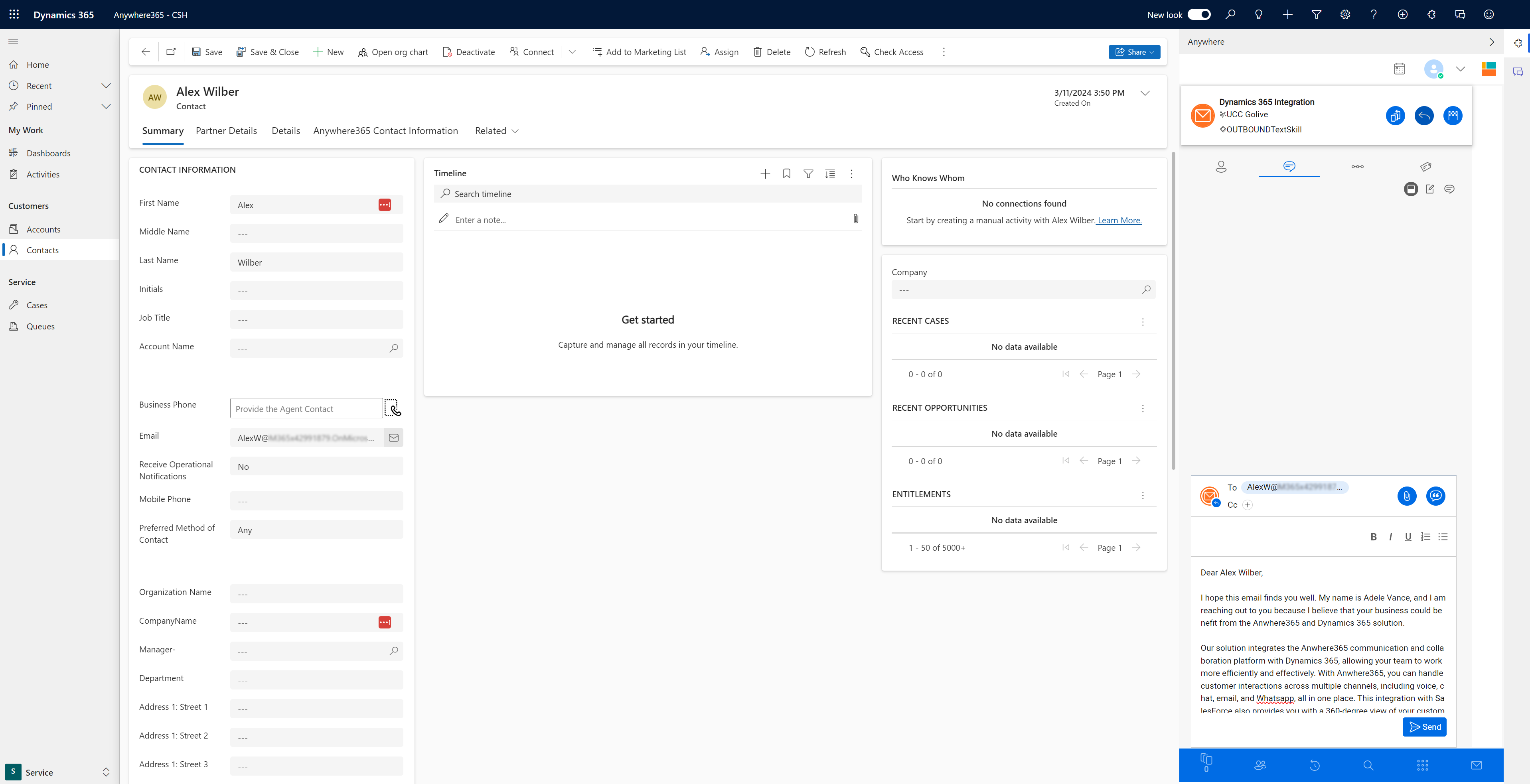
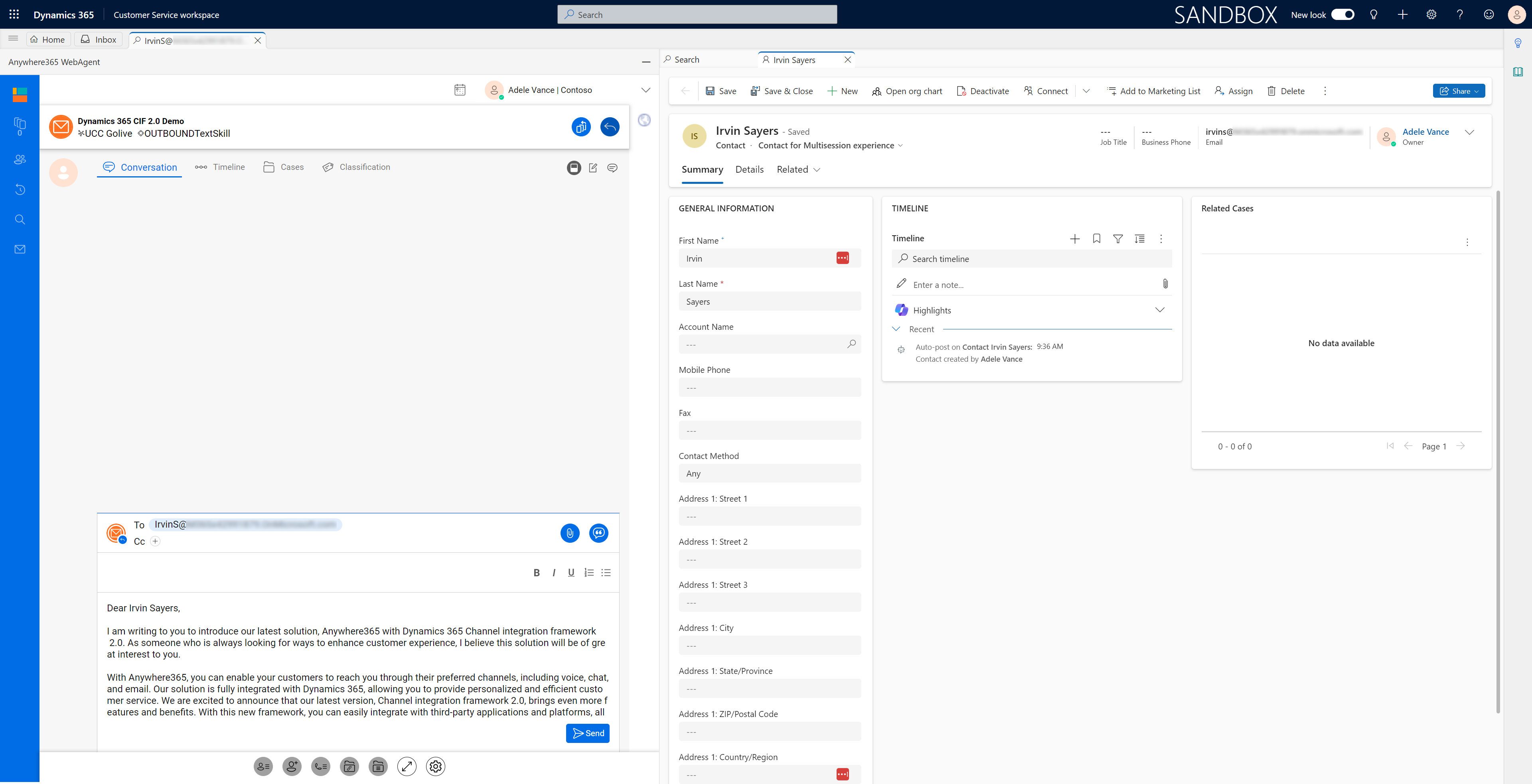
Customer information for inbound and outbound interactions are automatically displayed and directly linked to their CRM record. The Timeline shows the entire customer journey from initial contact to closing, including interactions transferred outside the contact center, and logs the information in Dynamics 365. Agents enjoy efficiency gains and provide greater customer service through an immediate and complete view of the caller’s information in a single pane of glass.
Dialogue Cloud WebAgent runs in the Azure cloud and can utilize the Dynamics 365 Channel Integration Framework (CIF) to integrate with the Microsoft Dynamics Unified Interface. This provides the CRM client with the ability to integrate with rich Dialogue Cloud contact center and dialogue management capabilities for agents and supervisors.
Channel Integration Framework 1.0
Channel Integration Framework 2.0
Available Languages
The Dialogue Cloud WebAgent is available in the following languages:
-
Chinese (Simplified)
-
Danish
-
Dutch
-
English
-
German
-
French
-
Italian
-
Spanish
-
Swedish