How to use version management
Introduction
In this document explains how you can used version management. By default version management is enabled on all lists.
How to
-
Navigate to your A Unified Contact Center, or UCC, is a queue of interactions (voice, email, IM, etc.) that are handled by Agents. Each UCC has its own settings, IVR menus and Agents. Agents can belong to one or several UCCs and can have multiple skills (competencies). A UCC can be visualized as a contact center “micro service”. Customers can utilize one UCC (e.g. a global helpdesk), a few UCC’s (e.g. for each department or regional office) or hundreds of UCC’s (e.g. for each bed at a hospital). They are interconnected and can all be managed from one central location. config site
-
Open the list to want to check, for example 'Interactive Voice Response, or IVR, is a telephone application to take orders via telephone keypad or voice through a computer. By choosing menu options the caller receives information, without the intervention of a human operator, or will be forwarded to the appropriate Agent.'
-
Select the item you want to check

-
Open the tab 'Items'

-
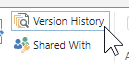
Open 'version management'
-
In here you can see:
-
Previous changes
-
When changed
-
By whom
-
-
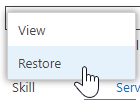
(Optional) You can restore to a previous version