Action node - No Action

Introduction
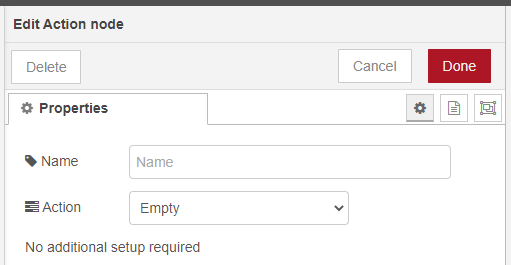
|
The Empty action triggers a different action depending on the phase the session is in. When in a PostDialogue phase, it is the only action allowed to end the phase. |
Phases
When an Empty action is triggered in a phase the following will happen:
Incoming call: For Dialogue Cloud Neo (Connect), the conversation falls back to the default SharePoint Interactive Voice Response, or IVR, is a telephone application to take orders via telephone keypad or voice through a computer. By choosing menu options the caller receives information, without the intervention of a human operator, or will be forwarded to the appropriate Agent. or Interactive Dialogue Response (IDR) is an application to take orders via keypad or button through a computer. By choosing menu options the contact receives information, without the intervention of a human operator, or will be forwarded to the appropriate Agent. configured in the A Unified Contact Center, or UCC, is a queue of interactions (voice, email, IM, etc.) that are handled by Agents. Each UCC has its own settings, IVR menus and Agents. Agents can belong to one or several UCCs and can have multiple skills (competencies). A UCC can be visualized as a contact center “micro service”. Customers can utilize one UCC (e.g. a global helpdesk), a few UCC’s (e.g. for each department or regional office) or hundreds of UCC’s (e.g. for each bed at a hospital). They are interconnected and can all be managed from one central location.. Do not use this as a Dialogue Cloud Neo (Unify) fallback path; SharePoint IVR is not available for Dialogue Cloud Neo (Unify).
InDialogue: NOT allowed (nothing happens regarding the UCC).
PostDialogue: Ends the InDialogue phase and will continue to the Quality monitor state if it is configured.
Quality Monitor NOT allowed (nothing happens regarding the UCC).
Note
No other action is allowed to end the PostDialogue phase.
Tip
When using the Empty Action, no further information needs to be supplied to make it work.
Learn more about other available Dialogue Studio - Dialogue Cloud Core Nodes.