Action node - Voicemail

Introduction
|
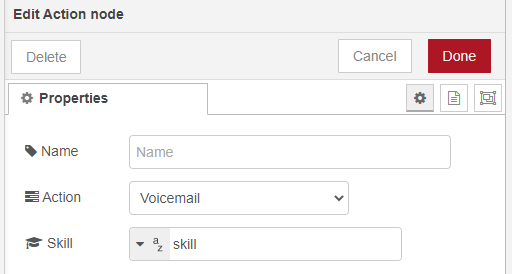
The Voicemail action will direct the session straight to the voicemail option. The caller can leave a message and only Agents with the selected skill will be offered the voicemail message. |
Note
Voicemail action should be used in the incoming phase.
Additional information:
This action will connect the incoming session to the Voicemail. Depending on the Skill selection, these messages will be placed in the skill queues of Agents, that have this skill assigned. The default Voicemail message can be edited in the Interactive Voice Response, or IVR, is a telephone application to take orders via telephone keypad or voice through a computer. By choosing menu options the caller receives information, without the intervention of a human operator, or will be forwarded to the appropriate Agent. Questions - Entering Queue.
Read more about optional recording locations forVoicemails .
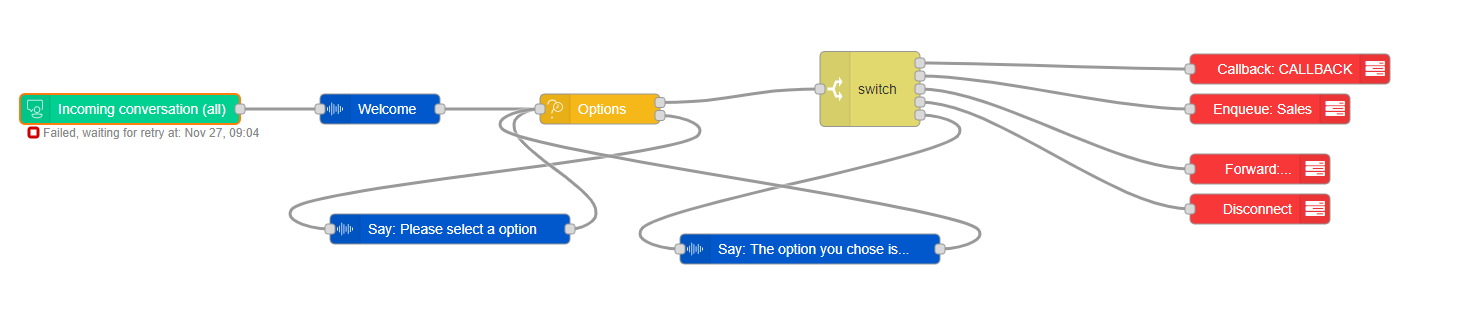
Example use in a flow layout (click to enlarge):
Learn more about other available Dialogue Studio - Dialogue Cloud Core Nodes.