Dialogue Insights data residency and processing regions
Overview
Dialogue Insights uses Microsoft Fabric for customer-specific real-time and historic dialogue data. This includes the event streams, Eventhouse databases, semantic models, and report workspaces that provide Dialogue Insights dashboards and reports.
The Microsoft Fabric resources used by Dialogue Insights are hosted in the AnywhereNow-managed A dedicated and trusted instance of Azure AD. The tenant is automatically created when your organization signs up for a Microsoft cloud service subscription, such as Microsoft 365. An Azure tenant represents a single organization. [Taken from Microsoft Docs]. Audio recordings, voicemail recordings, and A Unified Contact Center, or UCC, is a queue of interactions (voice, email, IM, etc.) that are handled by Agents. Each UCC has its own settings, IVR menus and Agents. Agents can belong to one or several UCCs and can have multiple skills (competencies). A UCC can be visualized as a contact center “micro service”. Customers can utilize one UCC (e.g. a global helpdesk), a few UCC’s (e.g. for each department or regional office) or hundreds of UCC’s (e.g. for each bed at a hospital). They are interconnected and can all be managed from one central location. behavior management data are not stored in Microsoft Fabric. For the broader data journey, see Data storage and ownership.
Customer-specific Microsoft Fabric resources
Data separation is implemented by providing every customer with customer-specific Microsoft Fabric resources:
-
An Eventstream receives events from the customer's UCC services.
-
An Eventhouse database stores events from the customer's UCC services.
-
A semantic model consumes the customer-specific Eventhouse database.
-
A customer-specific Microsoft Fabric workspace hosts the reports.
The content of the customer-specific Microsoft Fabric workspace is readable only by members of the Formerly known as Azure Active Directory (or Azure AD, or AAD) security group related to that customer. Authentication is handled through Microsoft Entra B2B collaboration.
Fabric workspace regions
The Microsoft Fabric workspace region is determined by the UCC Service region in Dialogue Cloud Neo.
Note
The report and its dataset gets refreshed every day at 00:30 of the timezone where your Fabric workspace resides.
(Any report open in your browser while the underlying dataset has refreshed, must be manually refreshed in the app for the new dataset to become visible).
Timezones and Fabric Regions vs. UCC Service Regions
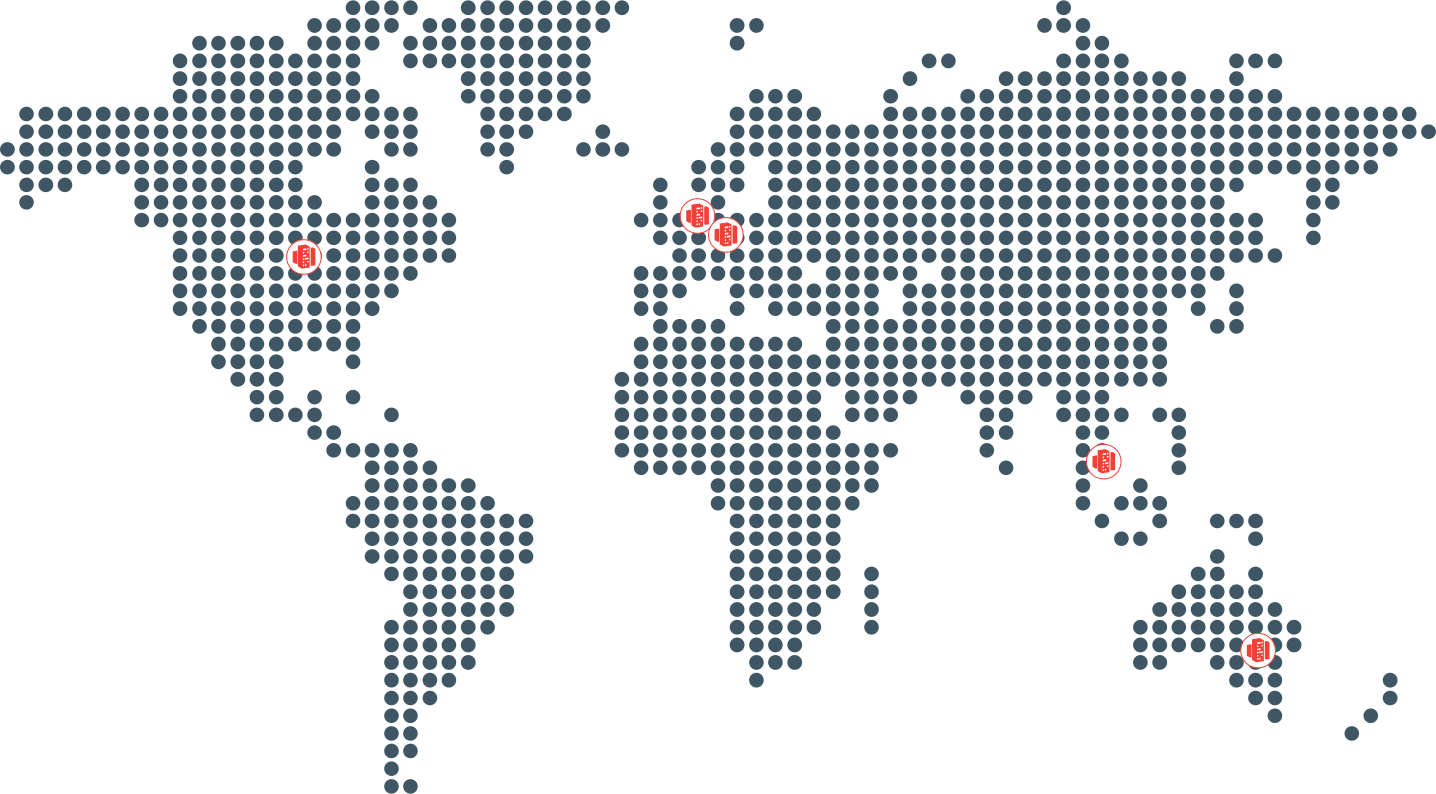
The three possible regions where Fabric workspaces reside (defined by UCC Service deployment in Dialogue Cloud Neo) are:
-
EMEA-GWC: W. Europe Standard Time
-
APAC-SEA: Singapore Standard Time
-
NORA-CUS: Central America Standard Time
The mapping of which Fabric workspace region is used by which UCC Service region is provided in table below
| If UCC Service region is: | Then Fabric workspace region is: |
|---|---|
| EMEA-WEU (West Europe) | EMEA-GWC - Germany West Central |
| EMEA-GWC (Germany West Central) | EMEA-GWC - Germany West Central |
| EMEA-SZN (Switzerland North) | EMEA-GWC - Germany West Central |
| NORA-CUS (Central US) | NORA-CUS - Central US |
| APAC-SEA (South East Asia) | APAC-SEA - South East Asia |
| APAC-AUE (Australia East) | APAC-SEA - South East Asia |
For more information, see Dialogue Insights data residency and processing regions.
Customer access to reports and data models
Users who access reports hosted in the customer-specific Microsoft Fabric workspace must be part of the customer-specific Microsoft Formerly known as Azure Active Directory (or Azure AD, or AAD) security group.
Users who are already present in the Microsoft Entra B2B collaboration tenant are automatically assigned to the appropriate customer-specific security group based on their domain and tenant ID. Users who are not yet known in this tenant can be added through Formerly known as Partner Portal. A redesigned web portal for managing Dialogue Cloud deployments..
Access to OnePortal is separate from access to the reports. Users can open a report using its customer-specific URL without access to OnePortal, but they must still be members of the customer's security group. For information about obtaining the report URL, see Dialogue Insights.