Dialogue Insights
Introduced in DC2025.02a - Arnhem (Dialogue Cloud Neo)
Note
The Data Processing Agreement (DPA) in our terms and conditions has been updated for Dialogue Insights. Review the current terms and conditions on our company website: Terms and Conditions.
Dialogue Insights helps you monitor and improve contact center performance with real-time and historical reporting.
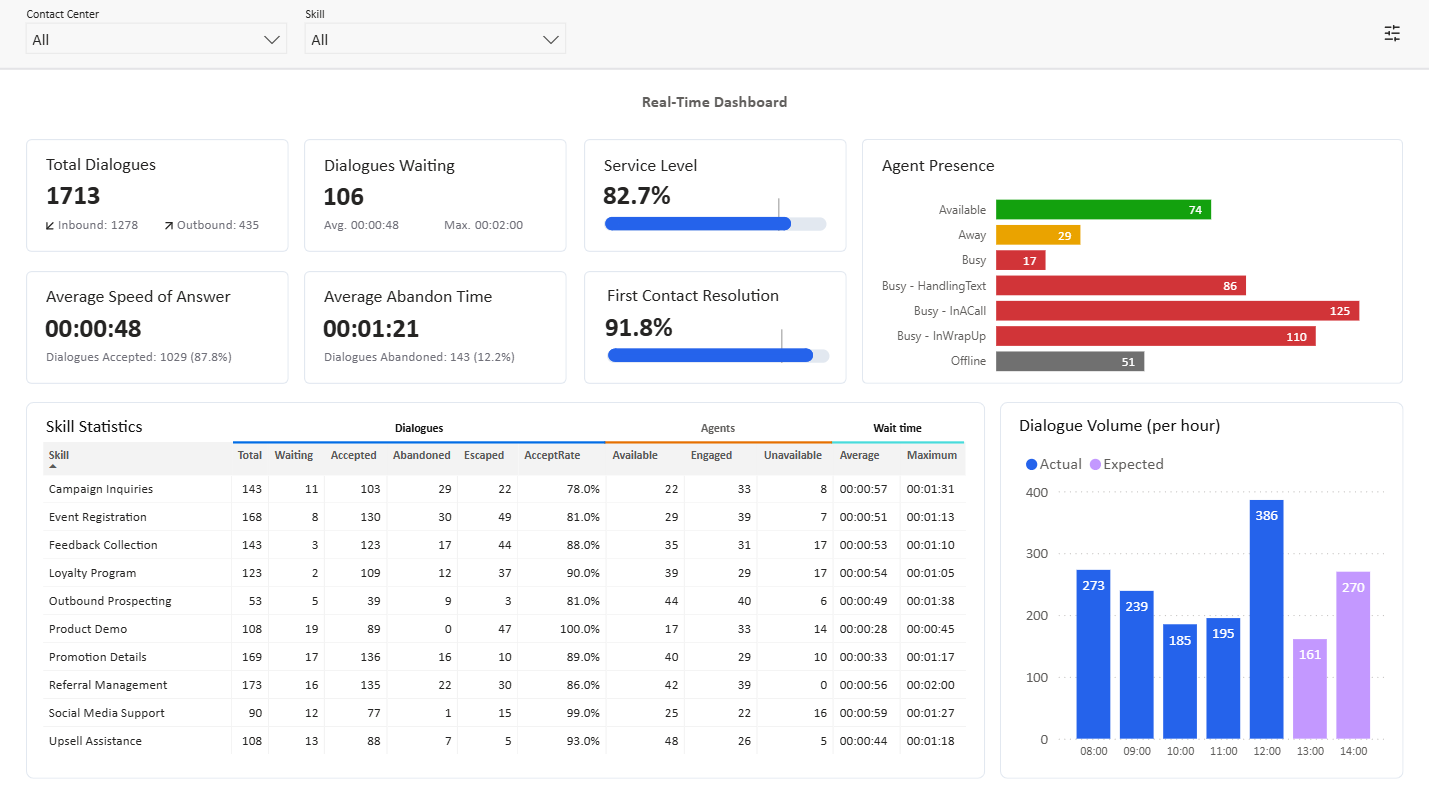
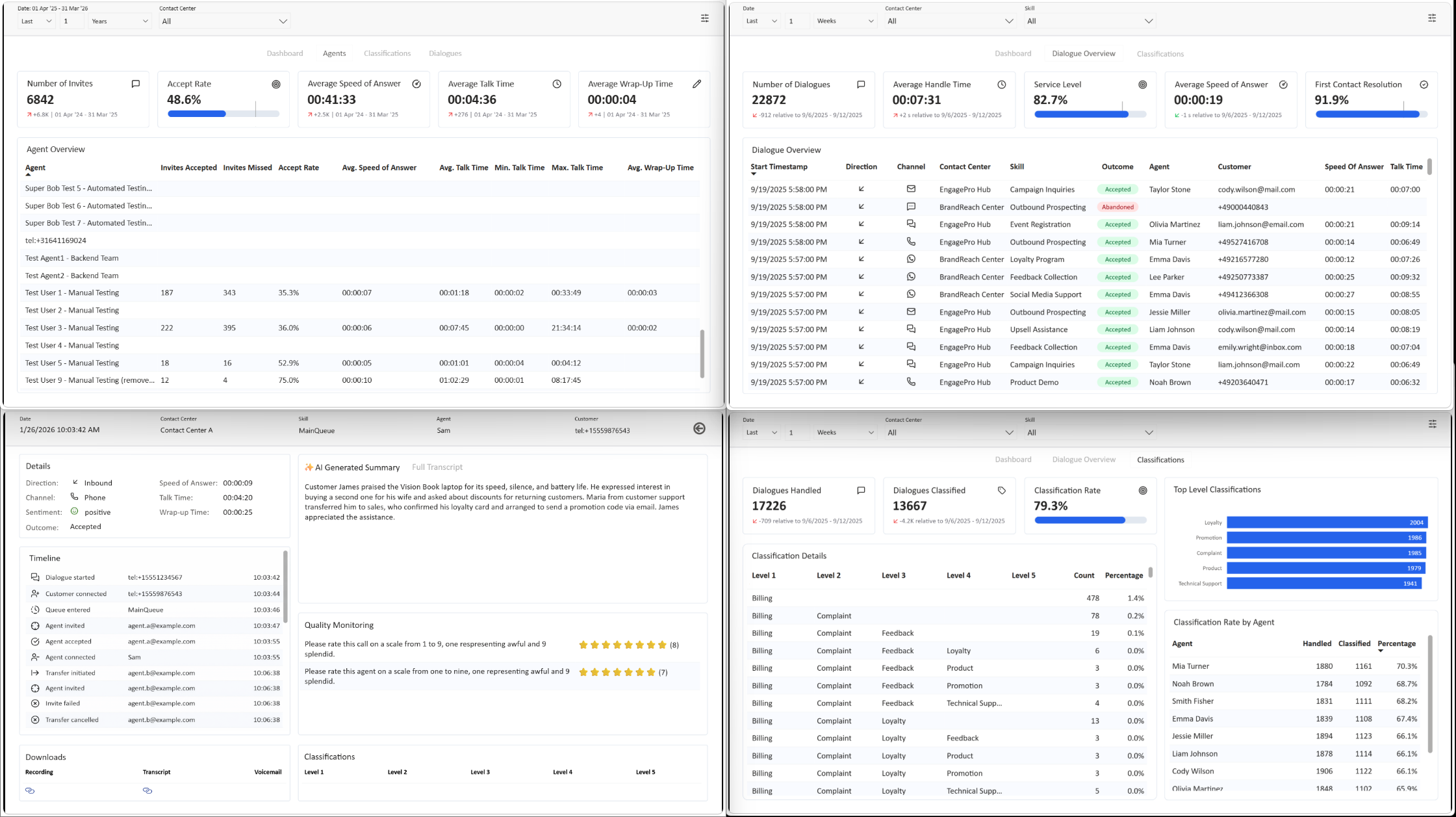
Use it to track key KPIs (such as service level and handle time), spot trends over time, and drill into individual dialogues for deeper analysis.
For information about Microsoft Fabric data residency and processing regions used by Dialogue Insights, see Dialogue Insights data residency and processing regions.
Access Dialogue Insights
Note
If Dialogue Insights is not yet available for your service, enable Premium Insights in OnePortal Formerly known as Partner Portal. A redesigned web portal for managing Dialogue Cloud deployments. via Services > select your service > Change. For steps on the Service action menu, see Change.
After enabling Premium Insights, access can take up to 24 hours to become available because access-control synchronization runs nightly.
The customer specific URL to access your Dialogue Insights can be found in OnePortal: https://oneportal.anywhere.now/dialogueinsights.
In OnePortal, select the region you want to view: EMEA, NORA, or APAC. If you have access to more than one region, you can switch between the available regions.
Select Real Time or Historical to open the reporting view you need, or copy the customer specific report URL.
Tip
If you do not have access to OnePortal, ask your AnywhereNow representative to provide the Dialogue Insights URL for the required region and report type.
Dashboards and reports
Realtime
-
Insights - Real-time Dashboard — Monitor live performance as events occur.
Historic
-
Dialogue Insights - Historic Reporting Dashboard — Review performance across any selected period.
-
Dialogue Insights - Historic Reporting Agent Performance — Analyze Agent performance metrics.
-
Dialogue Insights - Historic Reporting Dialogue Classifications — Analyze classification trends and rates (overall and by agent).
-
Dialogue Insights - Historic Reporting Dialogue Overview — Browse and filter all dialogues, open details for more information.
-
Dialogue Insights - Historic Reporting Dialogue Details — View the timeline, transcript, downloads, and classifications for a selected dialogue.
How to work with reports
-
Use filters to focus on a time range, contact center, skill or agent.
-
Hover over visuals to see exact values and tooltips.
-
Select a data point (for example, a bar or line segment) to cross-filter other visuals, and clear the selection to reset the view.
-
Use the visual menu to export data or images when available (depending on your permissions).
For step-by-step instructions, see Dialogue Insights User Guide.