WebWallboard Start-up, Sign-in and Connecting to UCC
Introduction
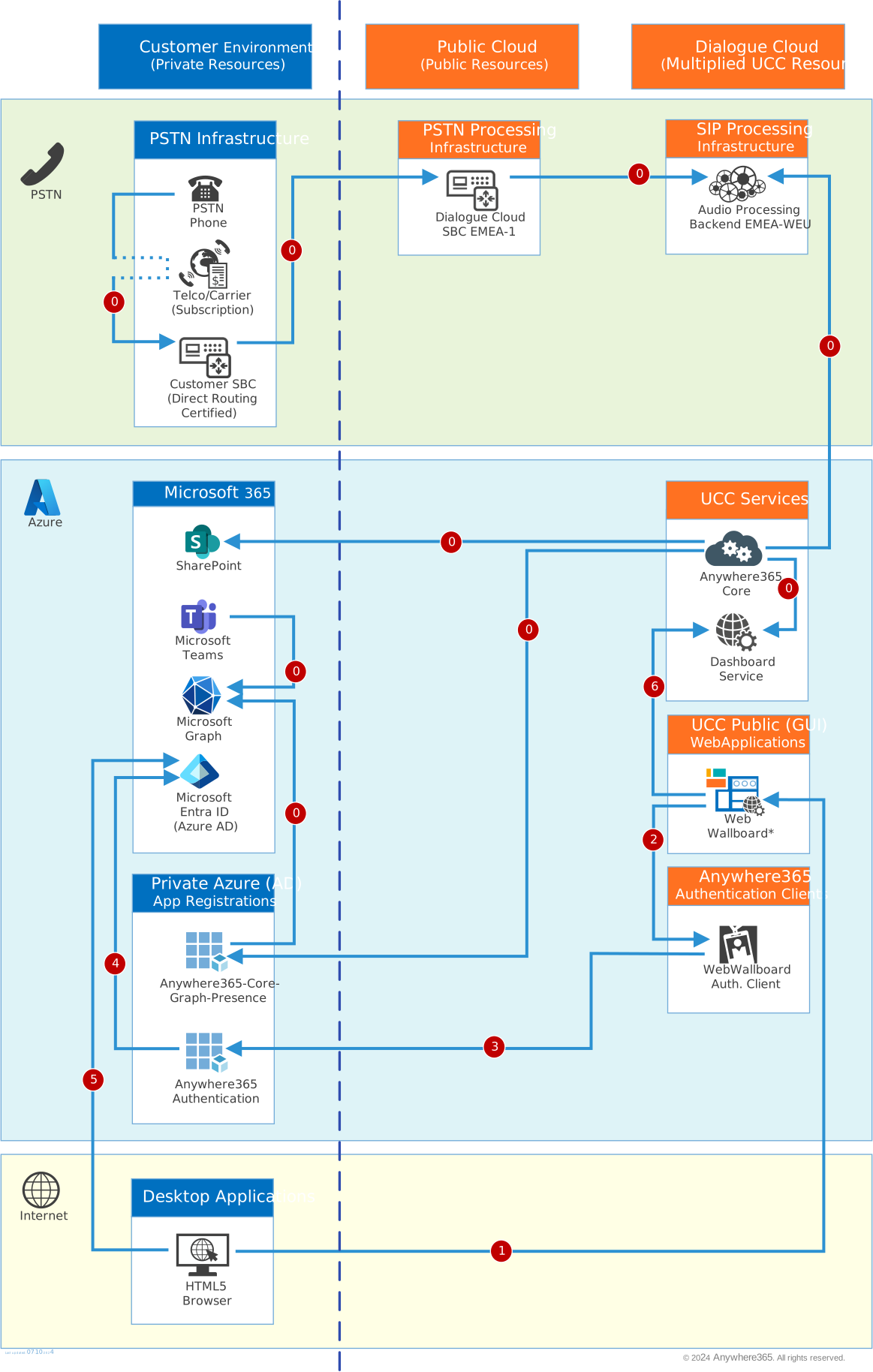
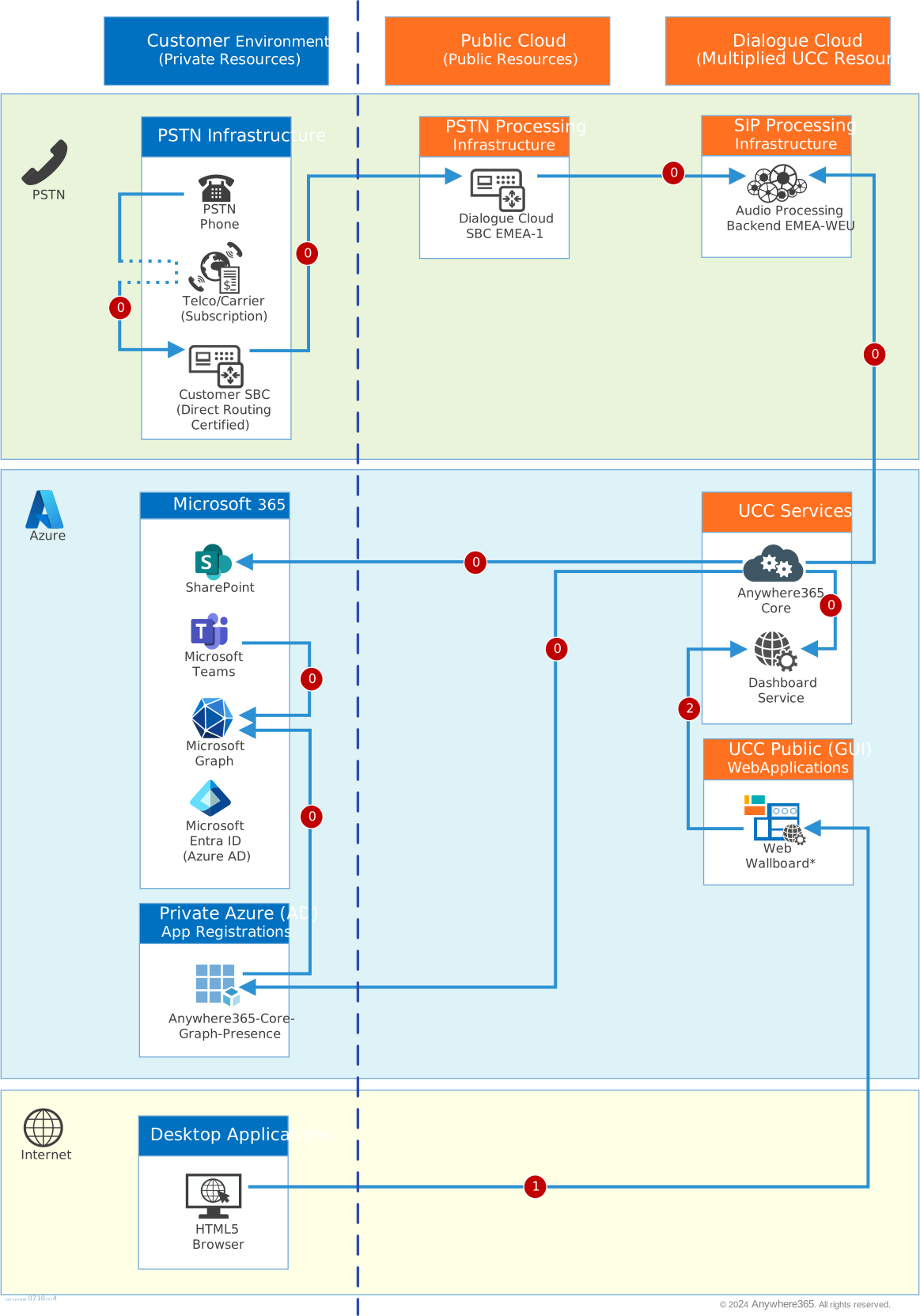
These views shows the connections and steps made during start-up, sign-in (if applicable), and connections made to the A Unified Contact Center, or UCC, is a queue of interactions (voice, email, IM, etc.) that are handled by Agents. Each UCC has its own settings, IVR menus and Agents. Agents can belong to one or several UCCs and can have multiple skills (competencies). A UCC can be visualized as a contact center “micro service”. Customers can utilize one UCC (e.g. a global helpdesk), a few UCC’s (e.g. for each department or regional office) or hundreds of UCC’s (e.g. for each bed at a hospital). They are interconnected and can all be managed from one central location. Service to display details.
Note
Some steps in the views shown can be a simplified representation of reality but should provide you with a clearer understanding of these steps and building blocks involved. The direction of an arrow typically represent the initial direction a connection is made, after which signals or traffic can flow both ways. (For a step marked as "0" it is assumed the connection has already been configured or established in an earlier process)
View 1: Webwallboard with no authentication.
View 2: Webwallboard with AnywhereNow Authentication