Dialogue Workspace - Overview
Introduced in DC2025.02a - Arnhem (Dialogue Cloud Neo)
The Overview page provides a real-time snapshot of contact center performance for supervisors. It combines key queue metrics, agent presence, and call volume trends in a single view.
Use the Contact centers selector (top-right) to switch between a single contact center or All contact centers.
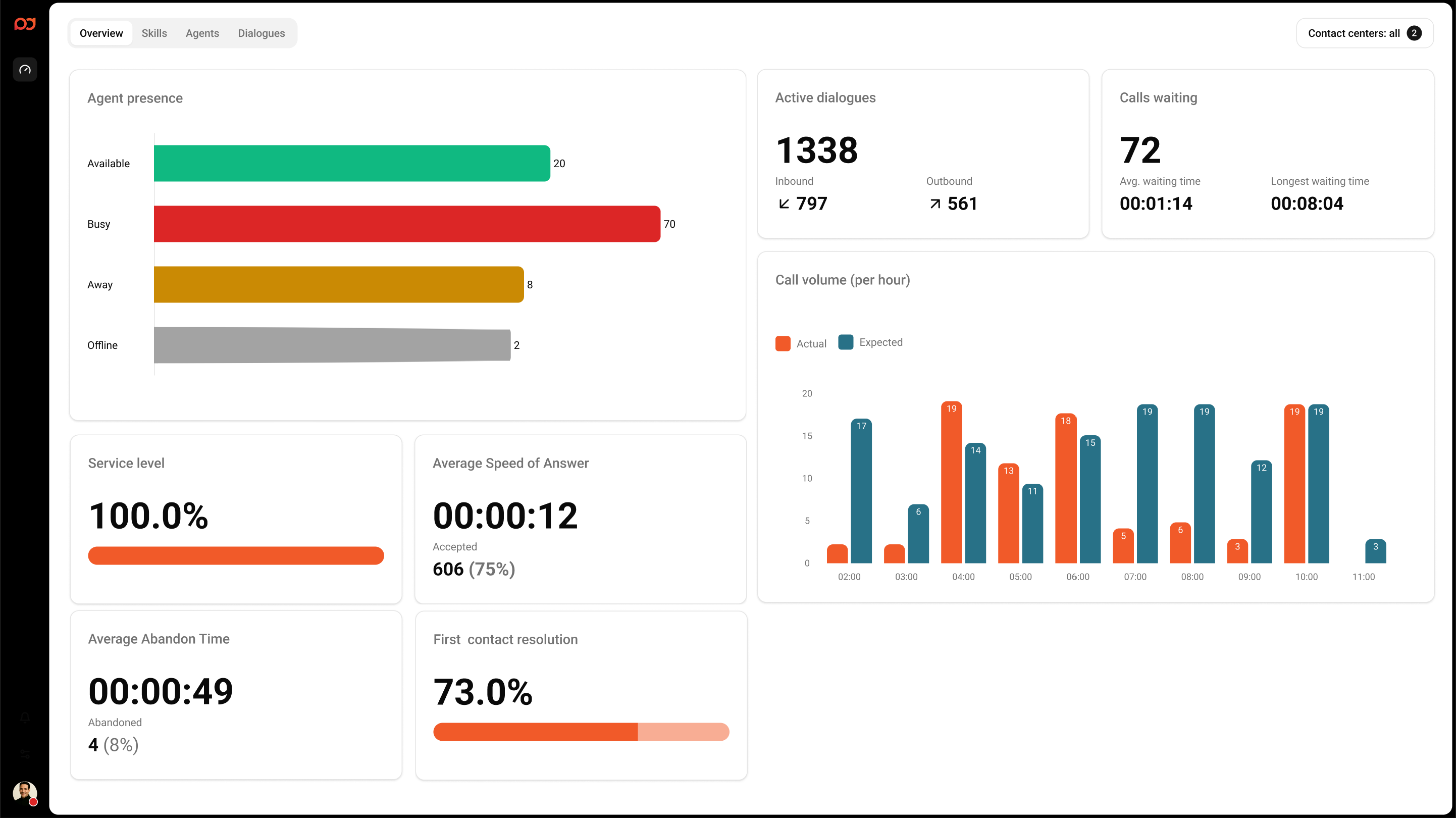
What you see on the page
Agent presence metrics
Shows how many agents are currently in each presence state:
-
Available – Agents ready to accept contacts.
-
Busy – Agents currently engaged (for example, in a call).
-
Away – Agents temporarily unavailable.
-
Offline – Agents not signed in or not active.
-
Unknown – Presence cannot be determined.
Total calls
Displays the total number of calls, split into Inbound and Outbound.
Calls waiting
Shows the current queue situation:
-
Calls waiting – Number of calls currently waiting.
-
Avg. waiting time – Average wait time for calls today.
-
Longest waiting time – Longest current wait time today.
Service level
Displays the current service level as a percentage. The SLA formula is:
(Total accepted dialogues answered within 20 seconds) / (Total accepted dialogues + Total abandoned dialogues) today
Average speed of answer
Shows the average time it takes for calls to be answered. The card can also show how many calls were Accepted in the current view.
Average abandon time
Shows the average time callers waited before abandoning. The card can also show the number of Abandoned calls in the current view.
First contact resolution
Displays the current First Contact Resolution (FCR) percentage. FCR is calculated as:
(Inbound dialogues answered by the initial agent with no transfer) / (Total inbound dialogues answered)
Call volume (per hour)
Shows call volume by hour. When available, the chart compares Actual versus Expected volume.
Tips
-
If you keep the page open, values update as new events occur.
-
Use this page to spot issues quickly (for example, rising wait times or low service level) and then drill into Skills, Agents, or Dialogues for details.